

Navigation / User Interface
Learn about what the main navigation sections and buttons do.
Accountability Navigation
This is the screen you will see when you go into the "Accountability" sub-category/sub-menu of a participatory space.
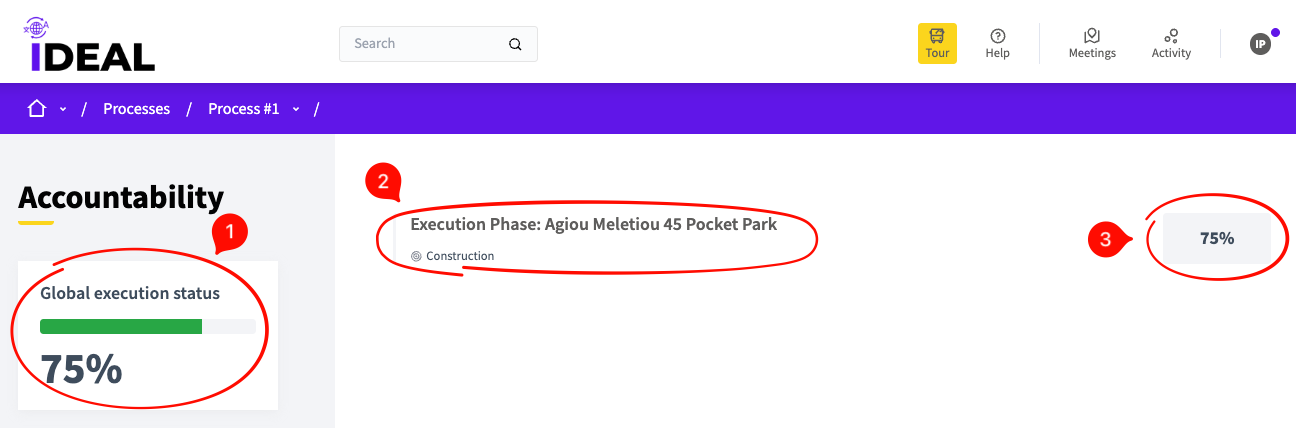
Global execution status: This is the % of completion for all the statuses of each accountability sub-phase.
Accountability title / link: Here you can see the name of the phase and the short name for its status. If you click on the title, you will get taken to the individual phase page (see below).
Phase completion: This is the completion percentage for this particular accountability phase.
Accountability Individual Page
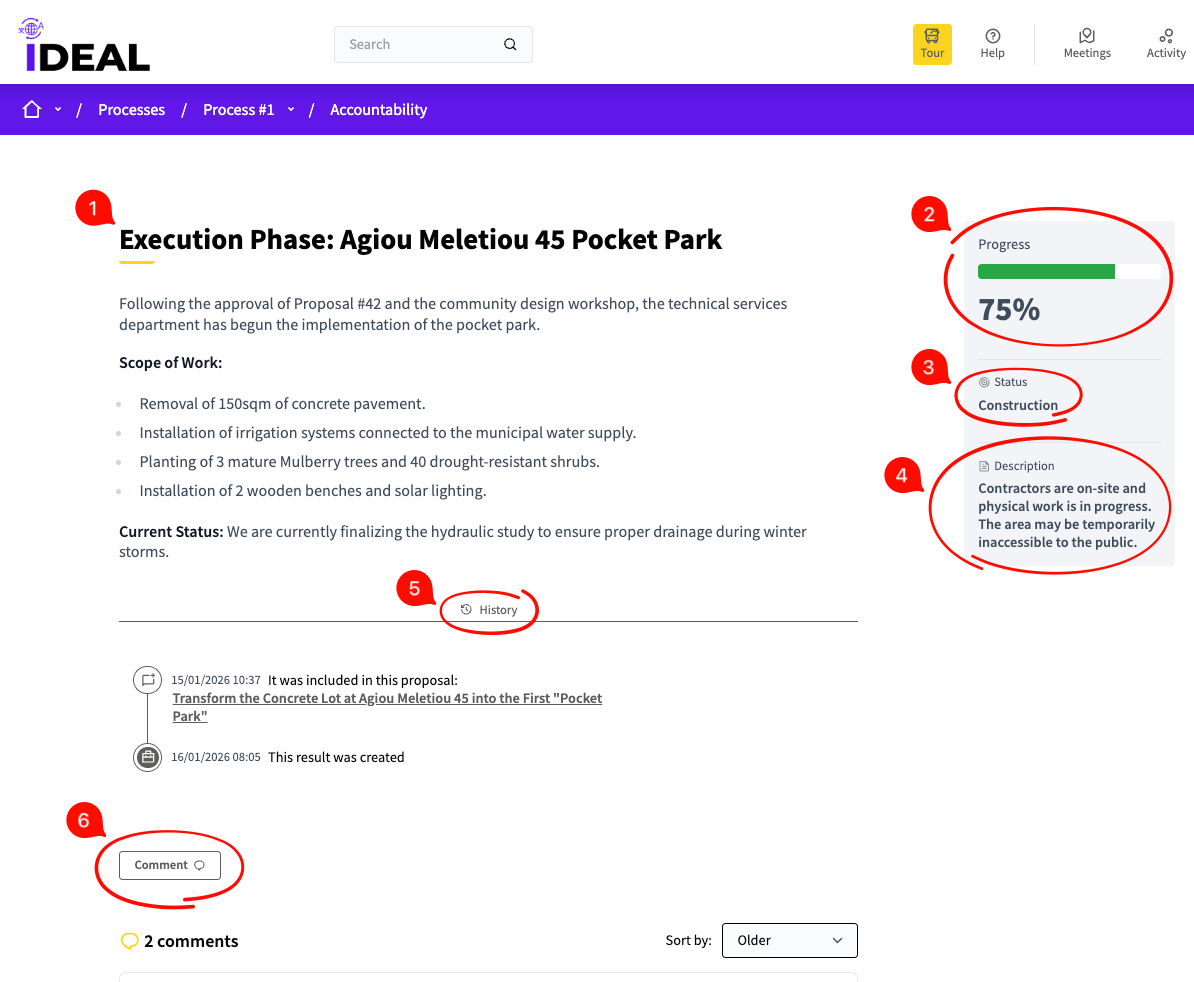
Phase title and description: Here you can see a more detailed description of the current phase of the accountability status.
Phase completion percentage: Here you can see how much % the current phase is to completion
Status title: The pre-set title for this particular status in the project's progress
Status description: A succinct explanation of the current status
History: What has happened thus far in this phase/result of the process
Comment: The ability to read other people's comments and comment yourself (see Comment Navigation for details).