

Navigation / User Interface
Learn about what the main navigation sections and buttons do.
User Navigation
Upon clicking on your initials / profile picture icon, you will see a menu such as this:

-
My Account: Takes you to a new page with a left-side menu where you can find more information and actions regarding your account.

Account: This is your main account page where you can change details about your account including (but not limited to) your avatar image, name and nickname.
Notifications Settings: Select what notifications you want to receive and any details about them.
Authorizations: This is where you can have a look at whatever authorization(s) has/have been granted to you by the administrators/orgs.
-
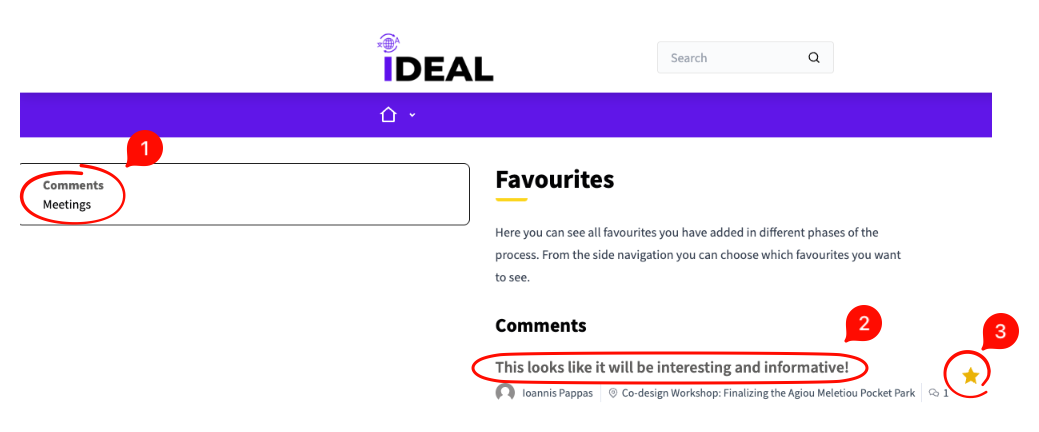
Favorites: A custom IDEAL implementation, this offers you the ability to save certain components and/or items (e.g. meetings, comments, etc) as favorites, and this is the menu under which you can find them. Look out for the star icon where you can favorite and unfavorite something. An empty star means it's not favorited. A full, yellow star means it's in your favorites.
Here you can select the type of favorite you want listed on the right side.
Click on the title to go to your favorite item/component.
-
Use the star to unfavorite if desired. Refresh the page for an update.
My data: Here you can download the data related to your account / activity.
Delete my account: Here you can delete your account if you so desire.
-
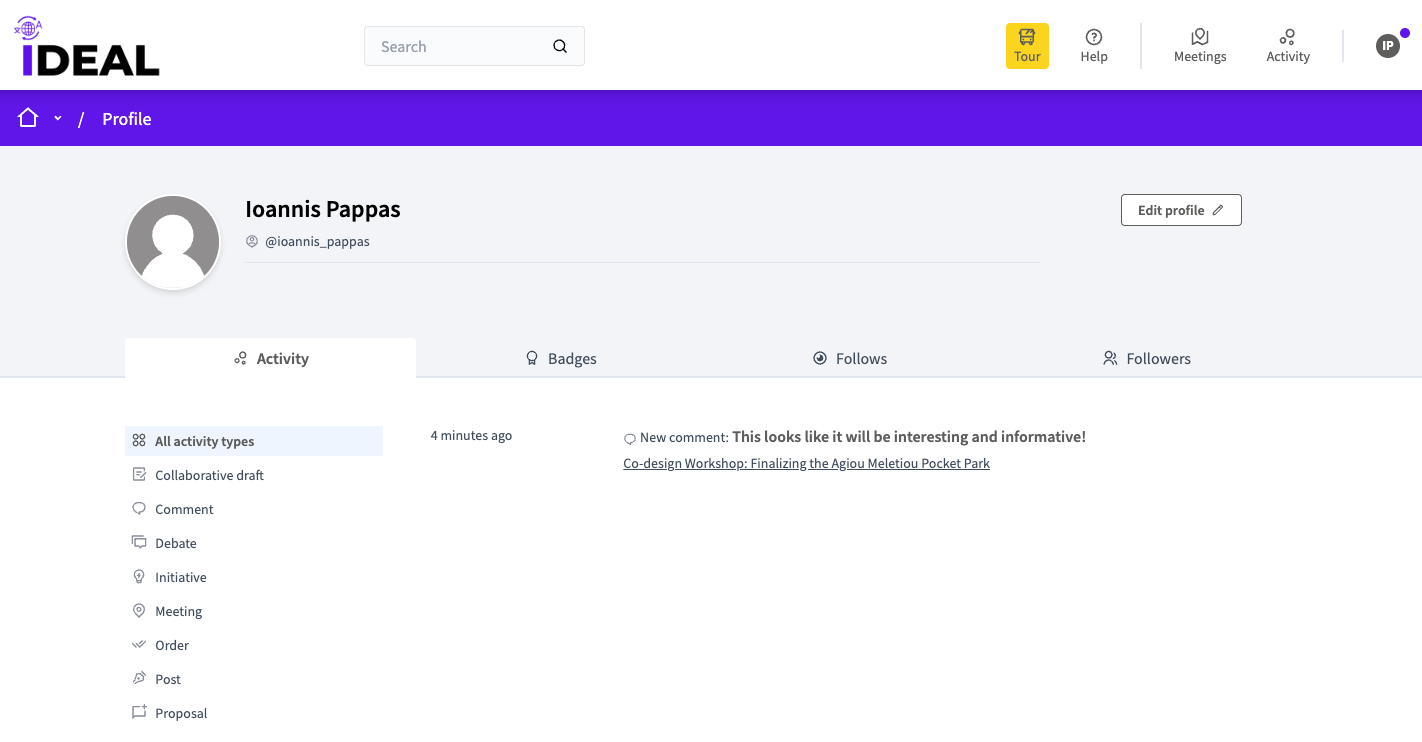
My Public Profile: Here you can see your activity on the platform, your badges, whom you follow and who follows you (use the main horizontal tabs).
-
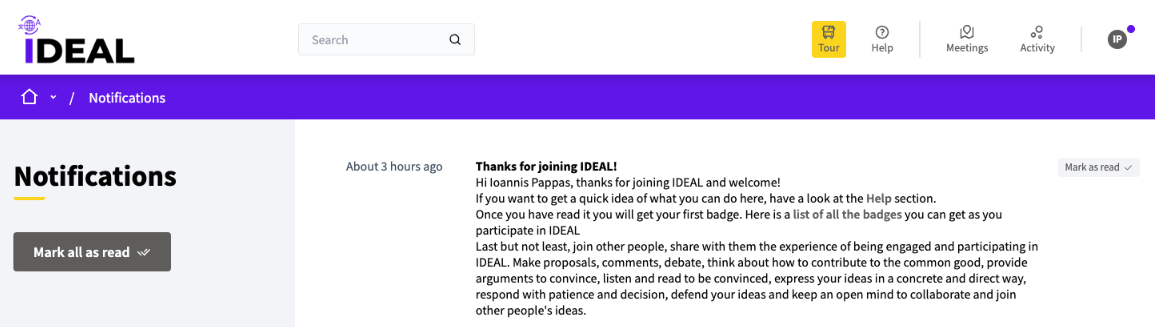
Notifications: Here you can see and mark notifications (all or specific ones) as read, which dismisses them.
Conversations: Here you can see private messages you have going on with other users.
Log Out: Log out of your account.