

Navigation / User Interface
Learn about what the main navigation sections and buttons do.
Proposals Navigation
When you click on the Proposals link from your participatory space, you will be greeted by this page:

New proposal button: Create a proposal of your own. See the New Proposal page below.
Search bar: Search with a specific term to find proposals that are relevant to you.
Filters: Filter proposals out by selecting their attributes.
Number of proposals: Tells you how many published/active proposals exist in this participatory space.
View selection: See the proposals as a list or as a grid.
Sorting selection: Select how you want to sort the proposals you are viewing.
Proposal title / link: Click on this to be taken to the individual proposal page.
Proposal author/source: See whether this is an official proposal or by another author.
Details: Shows how many comments and likes the proposal has, as well as its current status.
Number of votes: Shows you how many people have voted for this proposal.
Vote button: If you click this button your vote is counted towards the total of votes for this proposal.
Withdrawn proposals: See all withdrawn proposals in case some of that information is useful to you.
Individual Proposal Page
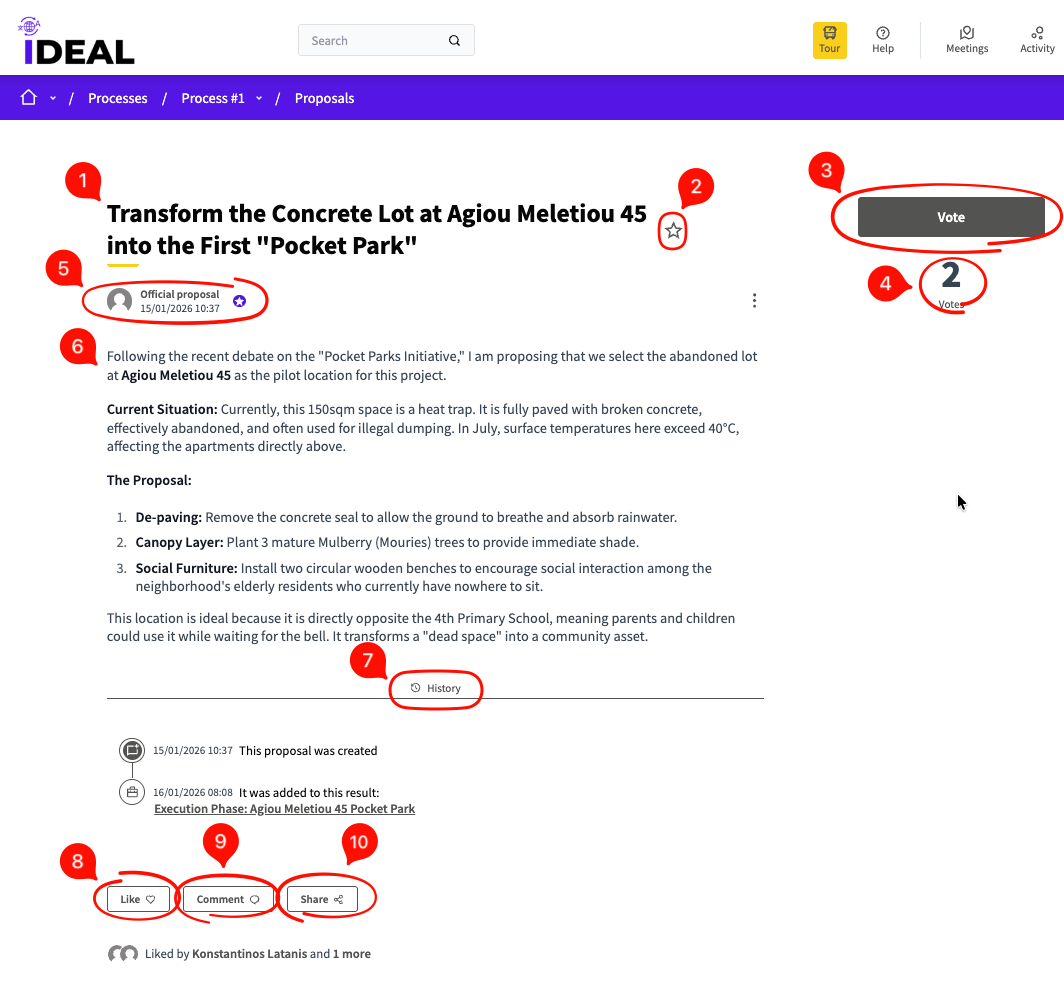
Title: The title of the proposal.
Favorite button: Add to or remove from your favorites.
Vote button: Vote for this proposal. When you do, the total will be increased by 1.
Vote number: See how many votes this proposal currently has.
Author: See whether this is an official proposal or one by another user.
Proposal text: See what the goal of this proposal is.
History: Things that have happened in the history of this proposal.
Like button: Like the proposal. By clicking this you are adding to its number of likes.
Comment button: Comment on this proposal. See more in the Comments Navigation page.
Share button: Share this proposal by copying its link, sharing it on social media or sending it through messengers.
Create new proposal flow
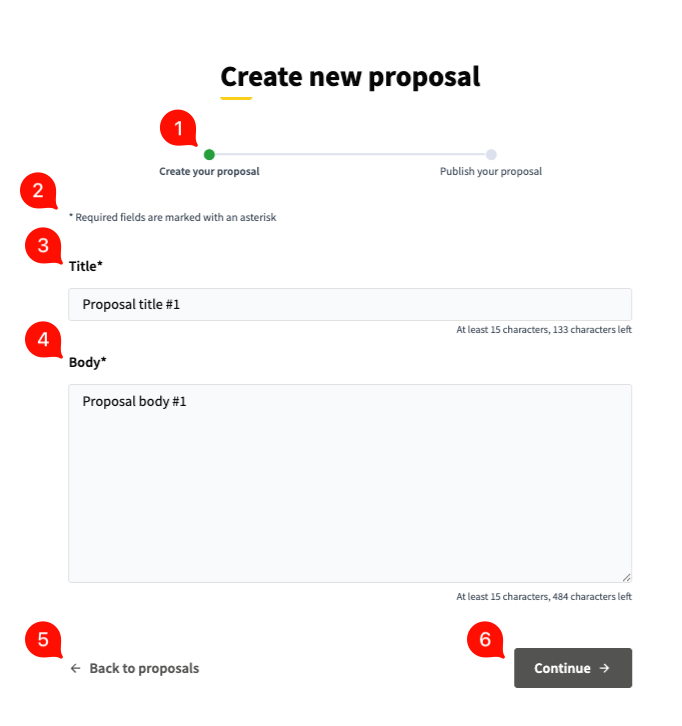
Form steps: See where you are in the flow.
Note: Required fields are marked by a * character.
Title: The title of your proposal. 15 character minimum.
Body: The body / main text of your proposal. 15 character minimum.
Back to proposals: Navigate to main Proposals page.
Continue button: Click to go to the next step of the proposal creation process.
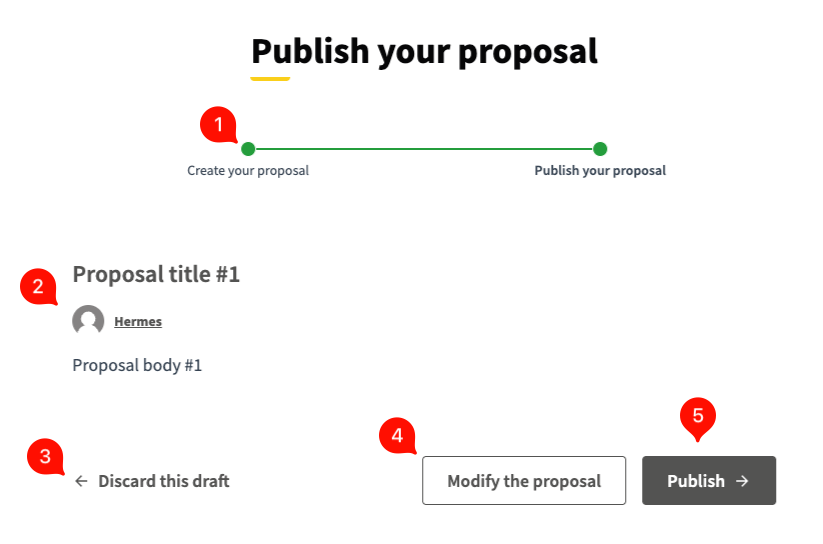
Form steps: See where you are in the flow.
Proposal preview: See a preview of the proposal you've created.
Discard link: Discard this draft and go back to the previous creation page.
Modify proposal button: Click to modify the details of your proposal in case something needs to be corrected.
Publish button: Finalize the process and publish your proposal.