

Admin
Pinning/Unpinning items as an Admin
For Blog Posts, Debates, Elections, Meetings, Proposals and Sortitions, as an administrator you can pin an individual item within its individual page.
What this achieves is it being marked with a red pin icon and being sorted at the top of lists so that it can be noticed by the users more easily. It also includes the pinned item in the pinned section in the main page and in the individual Pinned Items page.
Pinned section on the main page:

Click on "Show More" to see the page with all the pinned items:
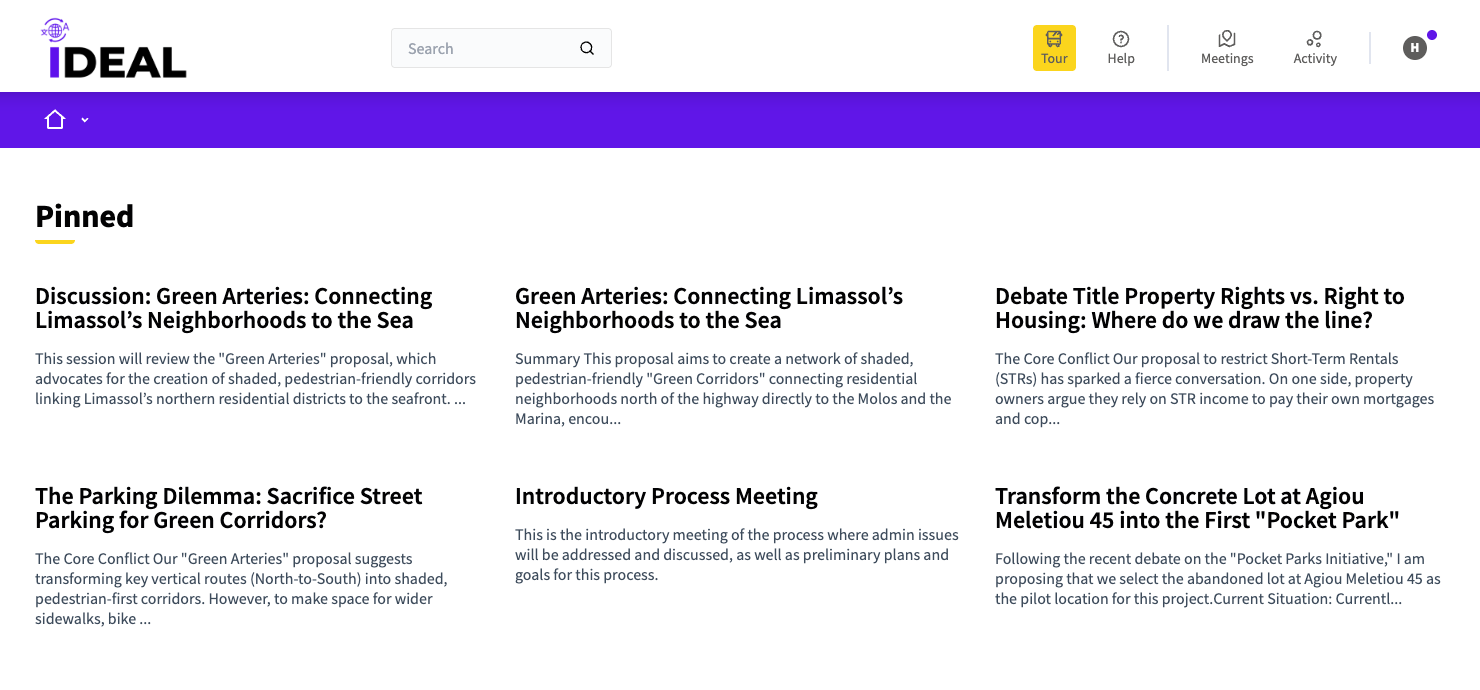
From this page you can click on the titles of the items to go to their individual page.
Admin pinning button(s):
When the page/item is not pinned yet:

Pressing this will show you this message near the top of the page:

When the page/item is already pinned:
Pressing this will show you this message near the top of the page: