

Navigation / User Interface
Learn about what the main navigation sections and buttons do.
Main Participatory Space Navigation
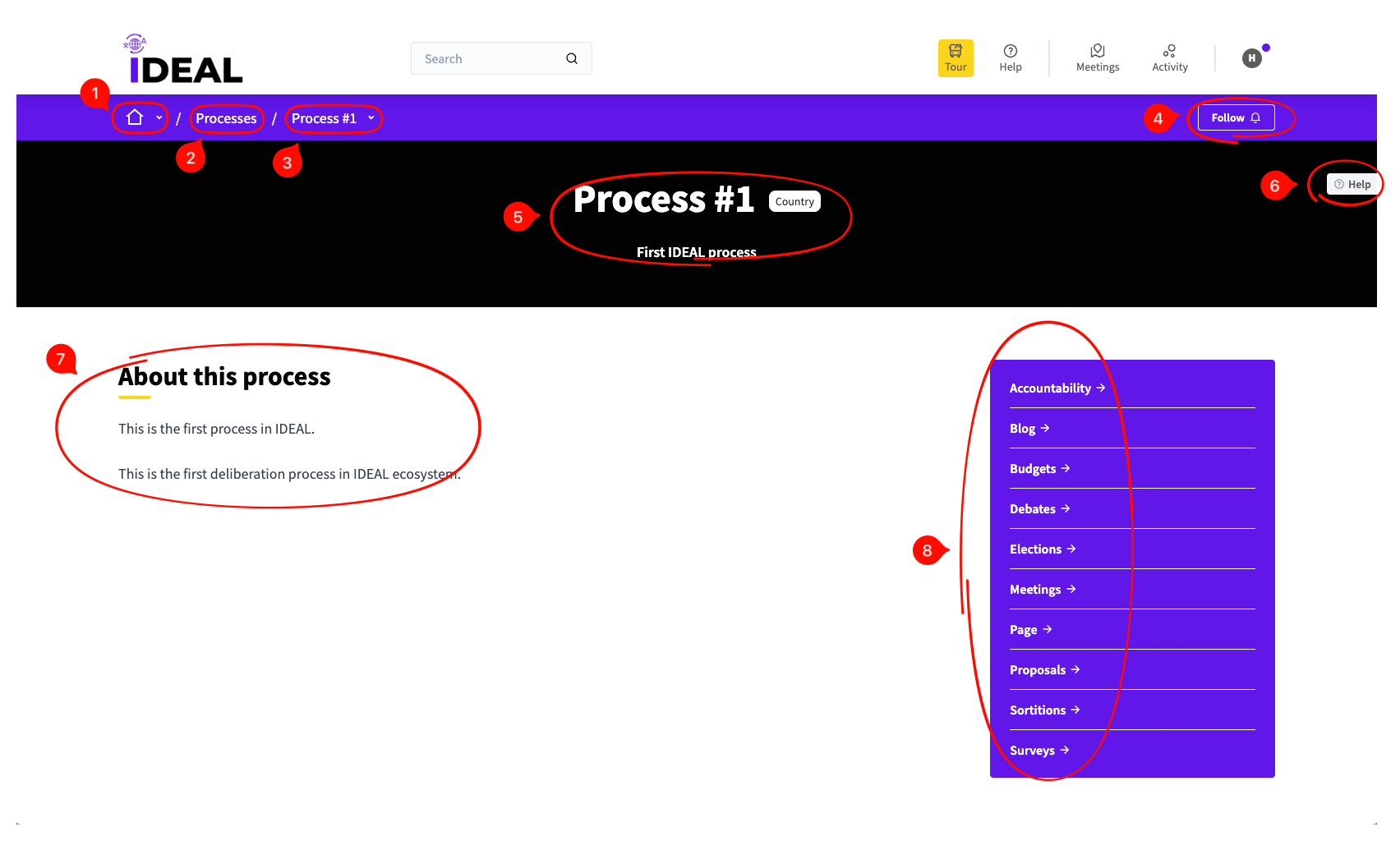
This is the main navigation that you will see if you head into the page for a specific participatory space. In this help page we will be using Processes as an example, but this applies to other participatory spaces as well.
-
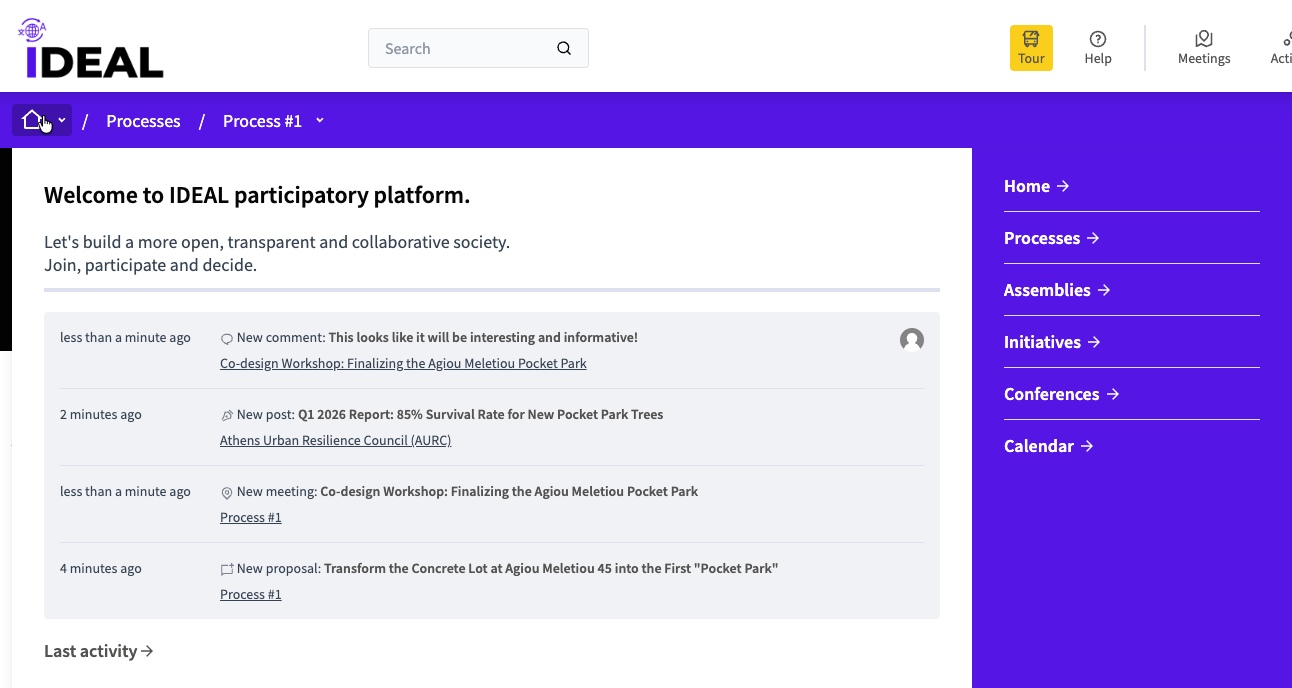
Home icon hover: When you hover of this icon, you can see a small version of the main page where you can navigate to other spaces/pages.
Navigate back: By clicking on the plural name of the kind of participatory space you are in, you can see all of them in the same page and navigate to a different one.
-
Participatory space title hover: By hovering over the title of this space, you can see a small version of its main navigation (that you are on right now), mostly useful if you go deeper into the sub-components (see #8).

Follow button: By clicking this you can follow this space in order to be notified about activity on it.
Title, subtitle and scope: This shows you the title and subtitle for the participatory space, as well as its scope (in this case "Country").
Help button: If you click on this you can see a small help description about what this participatory space category means.
Participatory space details: More details about this participatory space (usually a short description and subtitle).
Main sub-component menu: Here you can find all the components available (i.e. published) for this specific participatory space.