

Navigation / User Interface
Learn about what the main navigation sections and buttons do.
Blog Navigation
When you navigate to the Blog section of a participatory space, you will be presented with a screen like this:
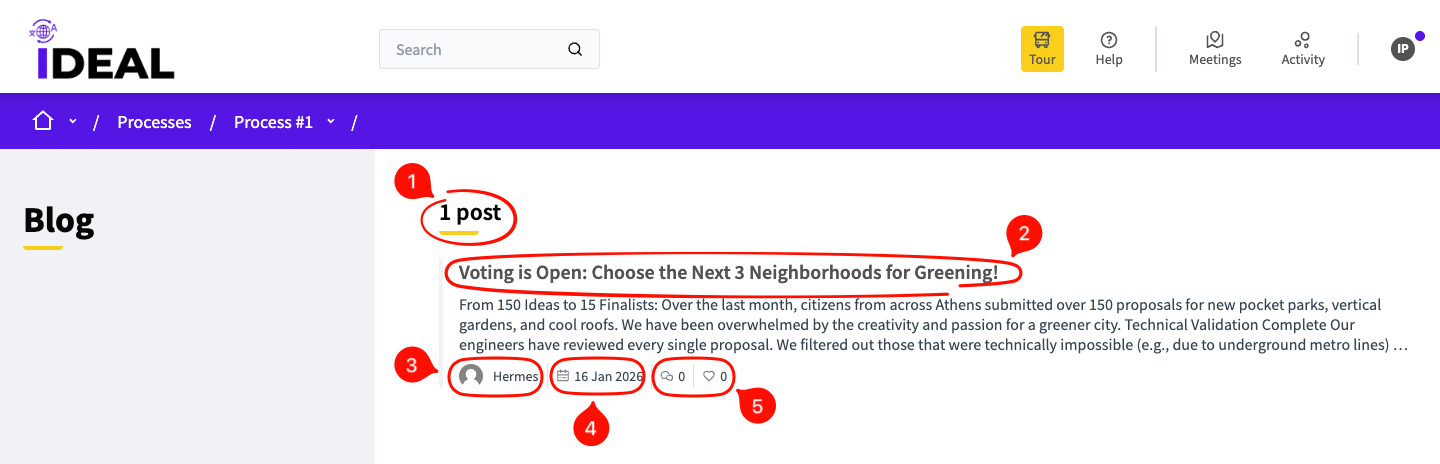
Number of posts: This allows you to see at a glance how many posts have been made to this blog.
Post title / link: Clicking on this takes you to the individual post page. Underneath it you can find the beginning of the post body.
Author name/avatar: Shows who made this post.
Date: Shows the date when this post was posted.
Comments/Likes: Shows how many comments have been made to this post and how many times it has been liked.
Individual Blog Post Page
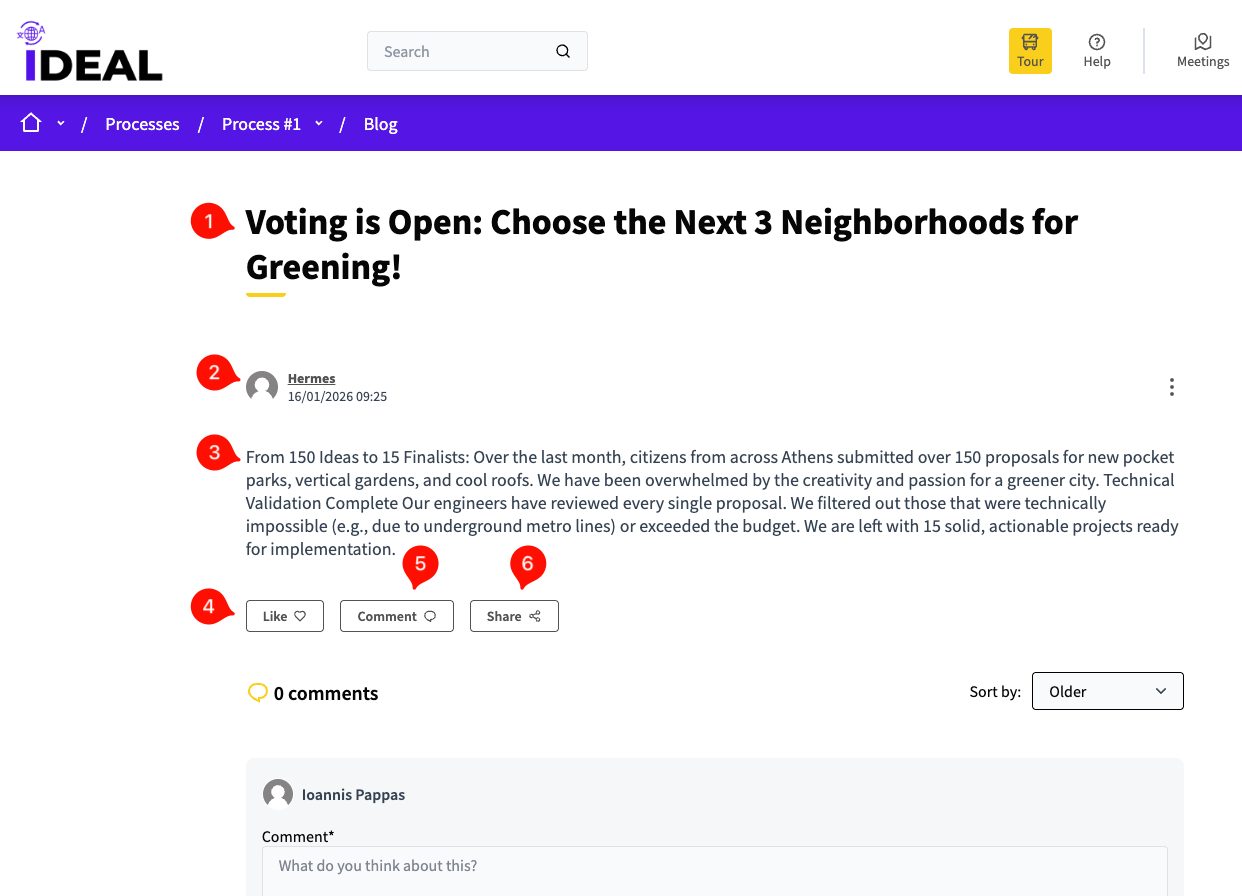
Blog post title: The title of the blog post.
Author and date: Who wrote this post and the datetime of when it was posted.
Main text: The main body of the blog post.
Like Button: Allows you to like this blog post. Your like will be added to the total number of likes.
Comment Button: You can use this to comment, or scroll further below to comment as well (see the Comment Navigation page for more details).
Share Button: Allows you to share this post on messengers or social media, and to make a QR code link to it. You can also copy the link directly.